Description
Canva for Beginners – Create Professional Designs from Scratch
Learn how to create clean, professional-looking designs with Canva — even if you’ve never designed anything before.
This beginner-friendly MrSlap course takes you through the fundamentals of Canva and practical design principles, helping you build the confidence to create graphics for your business, social media, content or personal projects.
What You’ll Learn
✓ Getting comfortable with the Canva editor
✓ Essential graphic design principles
✓ Choosing colours and fonts
✓ Creating a consistent brand style
✓ Designing social media graphics
✓ Creating flyers and posters
✓ Designing business cards
✓ Building clear presentations
✓ Creating promotional graphics and thumbnails
✓ Making simple logos and reusable templates
✓ Exporting and sharing your designs
✓ Building your own mini brand kit
What’s Included
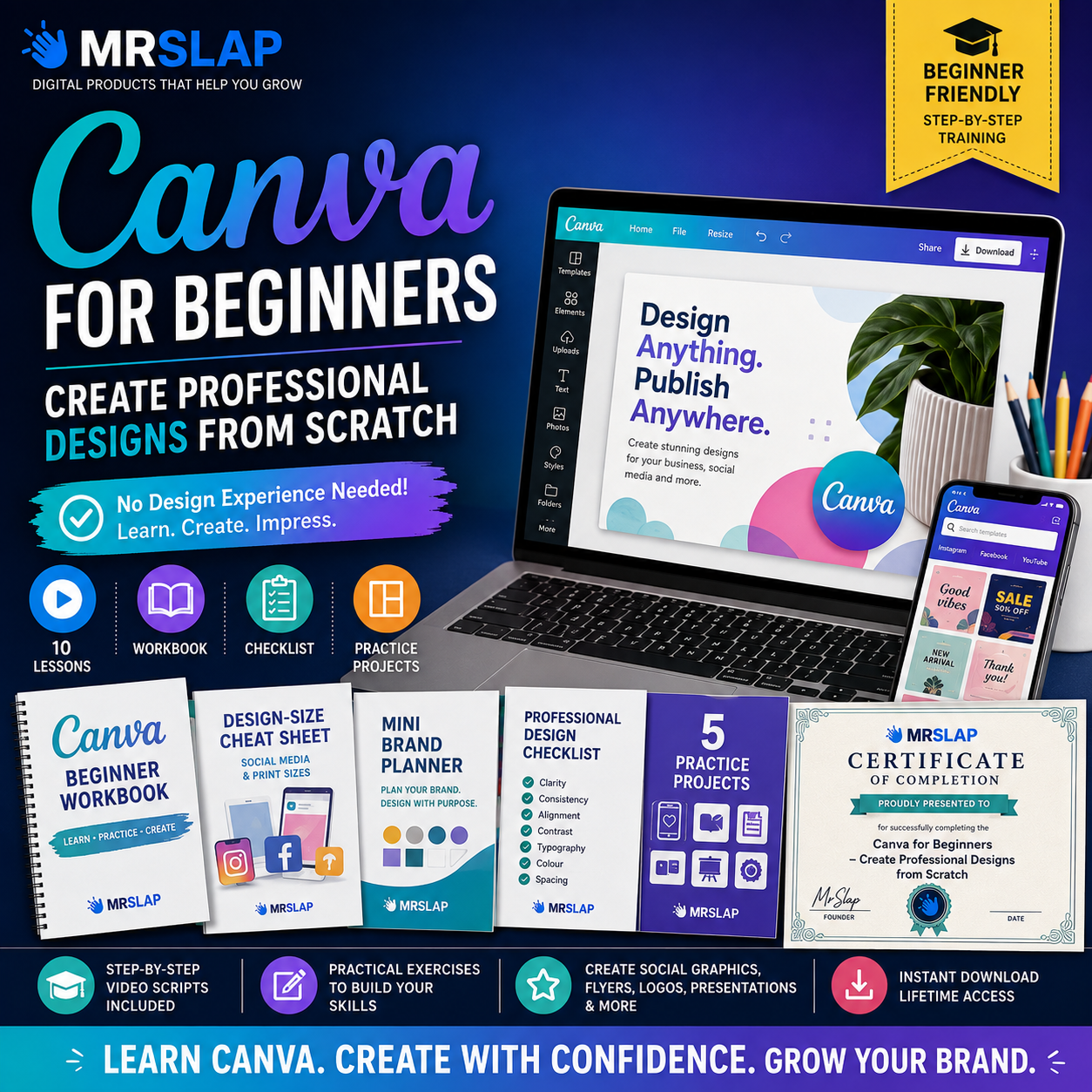
10 Complete Beginner Lessons
Work through Canva and graphic-design fundamentals step by step.
Ready-to-Record Video Scripts
Structured scripts are included for each course lesson.
Canva Beginner Workbook
Practical exercises accompany the lessons and help you apply what you’ve learned.
Design-Size Cheat Sheet
A handy reference for common digital design formats and sizes.
Mini Brand Planner
Plan your colours, fonts, visual style and basic brand identity.
Professional Design Checklist
Check your designs for readability, alignment, consistency, spacing and other important details before publishing.
5 Practice Projects
Put your skills into action by creating social graphics, a business flyer, business card, presentation and complete mini brand kit.
Certificate of Completion
Finish the course and use the included printable MrSlap Certificate of Completion.
Who Is This Course For?
Perfect for complete beginners, small-business owners, content creators, aspiring freelancers, social media creators and anyone wanting to improve their digital design skills.
No previous graphic-design experience is required.
Instant Digital Download
Your complete course materials are supplied digitally in one convenient downloadable pack.
Work through the lessons at your own pace, complete the exercises and start creating your own designs.
MrSlap Digital Courses — practical skills you can actually use.
This is independent educational material and is not produced, sponsored or endorsed by Canva.


Reviews
There are no reviews yet.